

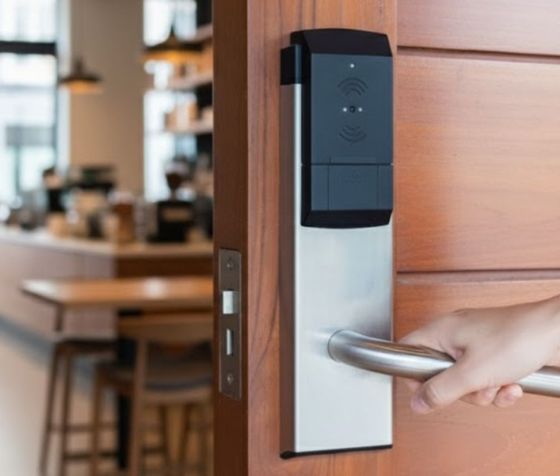
Dead Bolt vs. Smart Lock: Which One Actually Keeps Your Phoenix Home More Secure?
Home security decisions in Phoenix carry real weight. With summer temperatures pushing residents indoors for months and a housing market that keeps growing, local homeowners are paying closer attention to what stands between their family and an unwanted visitor. If you have been comparing dead bolts and smart locks, this breakdown will walk you through what each option offers, where each falls short, and what a licensed locksmith would recommend based on your specific situation.
What a Dead Bolt Actually Does for Your Home
A dead bolt works by driving a solid steel bolt into the door frame when you turn the key or thumb turn. Unlike a spring latch, which can sometimes be bypassed with a credit card, a properly installed dead bolt requires deliberate force or a working key to retract. That mechanical simplicity is its main advantage.
For Phoenix homeowners, a Grade 1 ANSI-rated dead bolt remains one of the most reliable entry barriers available. These locks withstand at least 250 pound-feet of torque and 10 strike-force tests during certification. When paired with a reinforced strike plate and 3-inch screws anchored into the door frame stud, the door assembly becomes the stronger point of resistance than most window glass.
Dead bolts do have limitations worth knowing:
- You must physically lock and unlock the door each time.
- Lost or copied keys create a security gap that requires rekeying or replacement.
- You cannot verify remotely whether you remembered to lock the door before leaving.
What a Smart Lock Adds to the Picture
Smart locks replace or sit above a standard dead bolt mechanism, adding keypad entry, app control, and activity logging. Most models sold in 2024 connect via Bluetooth, Z-Wave, or Wi-Fi and allow you to set unique access codes for family members, guests, or service providers.
For Phoenix households with short-term rental properties or frequent contractor access, the ability to assign and revoke codes remotely saves significant time. You can see exactly when each code was used and pull that access the moment it is no longer needed.
Key considerations for smart locks in Phoenix specifically:
- Heat tolerance: Exterior temperatures in Phoenix regularly exceed 110 degrees Fahrenheit. Verify that any smart lock you purchase carries a temperature rating above 120 degrees Fahrenheit for the exterior-facing components.
- Battery life: Most smart locks run on AA batteries and signal low-battery warnings through the app. In high-heat environments, battery drain accelerates. Plan on checking battery levels every three to four months.
- Wi-Fi dependence: If your router goes down, app-based features stop working. Keypad and physical key override options keep the lock functional during outages.
Where Each Lock Type Performs Better
A traditional Grade 1 dead bolt performs better in situations where simplicity and long-term mechanical reliability matter most. Rental properties where tenants manage their own access, vacation homes that sit unoccupied for months, and exterior gates where weather exposure is constant all benefit from the lower-maintenance profile of a keyed dead bolt.
A smart lock performs better in situations where access management across multiple users is a daily task. Primary residences with children, households where multiple adults come and go on different schedules, and properties with regular service visits (housekeeping, dog walkers, repair contractors) all benefit from the activity log and remote code management that smart locks provide.
Many Phoenix homeowners choose to install both: a Grade 1 dead bolt forms the mechanical backbone of the lock, and a smart lock retrofit kit sits on top of the interior thumb turn. This approach gives you the physical strength of the dead bolt and the convenience features of the smart system without replacing the entire lock body.
Signs It Is Time to Upgrade Your Current Lock
Your current lock may need attention if any of the following apply:
- The dead bolt requires extra force or jiggling to engage fully.
- The lock is more than seven years old and has never been serviced or rekeyed.
- You have given out keys to former tenants, contractors, or previous owners and have not rekeyed since.
- The strike plate attaches with short screws that do not reach the door frame stud.
- The lock shows visible corrosion, which is common near pools and in high-humidity microclimates around Phoenix.
A licensed locksmith can assess your door hardware in under 30 minutes and tell you exactly what your current setup provides and where it could be strengthened.
Get a Lock Assessment from a Phoenix Locksmith You Can Trust
Affordable Lock & Key of Phoenix serves homeowners across the Phoenix metro area with dead bolt installation, smart lock setup, rekeying, and security assessments. Our team holds a 4.8-star rating across 170 Google reviews, and we answer calls around the clock for both scheduled appointments and emergency lockouts.
Frequently Asked Questions
Can I install a smart lock myself, or do I need a locksmith in Phoenix?
Many smart locks come with DIY installation instructions and fit standard door prep, so a homeowner with basic tools can complete the swap in under an hour. A licensed locksmith is worth calling when your door frame is misaligned, your existing dead bolt uses a non-standard backset, or you want the lock professionally keyed and tested for proper function before you rely on it.
How much does it typically cost to upgrade to a Grade 1 dead bolt or a smart lock in Phoenix?
A Grade 1 ANSI-rated dead bolt usually runs between $40 and $100 for the hardware, with professional installation adding roughly $50 to $100 depending on the condition of your door frame. Smart locks range from $100 to $300 or more for the hardware, and installation costs are similar, though additional time may be needed if a locksmith configures the app pairing and access codes on-site.
What happens to a smart lock if the battery dies and I am locked out?
Most smart locks include a physical key override slot, so carrying a backup key prevents a dead battery from locking you out. Some models also accept a 9-volt battery held against external contacts to provide enough temporary power to enter a code and open the door.
Are smart locks vulnerable to hacking or wireless attacks?
Smart locks using encrypted Z-Wave or Bluetooth protocols are resistant to basic wireless attacks, though no connected device carries zero risk. Choosing a lock from a manufacturer that releases regular firmware updates and avoiding locks with known CVE vulnerabilities reduces your exposure significantly.
Does a smart lock void my homeowner’s insurance or affect a security discount?
Some insurers offer discounts for certified smart home security devices, while others require ANSI-rated hardware regardless of connectivity features. Contact your insurance provider directly to confirm which lock certifications qualify for any premium adjustment before you purchase.
If you are ready to evaluate your current locks or install an upgrade, call us at (480) 588-2631 or visit affordable-lock-key-phoenix.com to schedule a visit. We will walk through your doors with you, explain what we find, and give you a straightforward quote before any work begins.